
Parkonect’s Hotel Portal is a unique web-based tool that easily converts a guest’s self-parking ticket into a multi-use parking pass with in/out privileges. The Hotel Portal is intuitive and simple to use and includes features that allow hotel staff to quickly add new parkers as well as look up existing passes for editing and reissuance.
Key Information: #
- Passes can be sent via text or email
- It is important to note that all parking under this system is for single vehicle use only, and the system will not allow re-entry to the garage if the vehicle has not exited.
- Parking passes are set to expire at a designated time on the check-out date, and this expiration time can vary by hotel. Should a guest leave the garage after the pass expires, they will be subject to a fee that must be paid in the garage before they will be allowed to exit.
How to Create a Hotel Parking Pass #
Log into the Hotel Portal #
The hotel agent will log into https://secure.parkonect.com/hotelportal/ using the provided username and password. Please note that certain garages have customized landing pages; therefore, the URL above may differ slightly.

Search for Active Ticket #
To issue a hotel pass to a guest, the hotel guest must have entered the parking facility via one of Parkonect’s entry methods.
- Barcode (ticket number)
- Phone Number (mobile number entry or Express Pay user)
- Last Name (credit card entry)
- CC Last 4 (credit card entry)
- License Plate (LPR or Express Pay user)
Express Pay Compatibility: Currently Under Developement
Adding the Phone Number and License Plate option makes the Hotel Portal solution compatible with Parkonect locations utilizing Express Pay. Any Express Pay users who are also hotel guests will be converted to a Hotel Pass, so they will not be automatically charged the Transient rate via Express Pay. Only the UI has been added to the Search drop-down menu, converting the Express Pay entry is currently NOT functional.
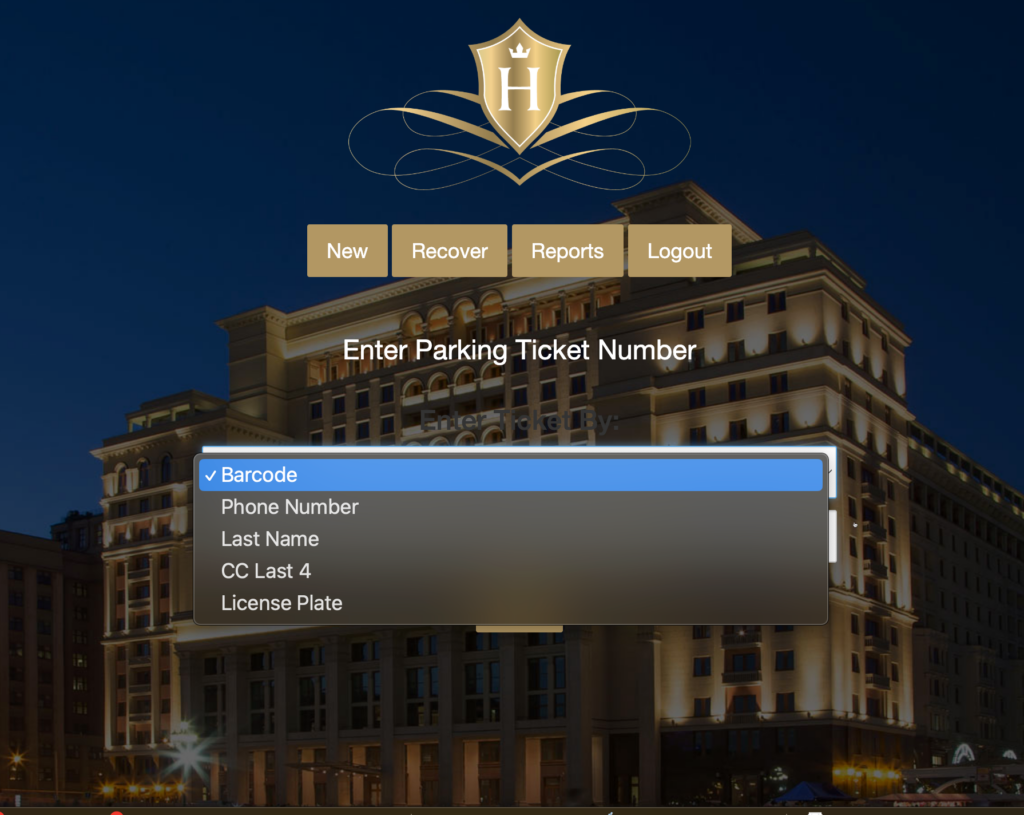
1. Enter the Transient credential info and click search.
2. The system will return all open records in the garage that can be converted to a self-park ticket.
3. Choose the correct ticket by pressing “Go”, as shown below.

2. Select Go next to corresponding Transient entry

Enter Guest Info #
Required fields:
- First Name
- Last Name
- Room Number
- Check Out Date
The system also asks for a Cell Number and Email. Although these fields are optional, entering this information provides the ability to email and text the hotel pass.
Enter guest information and click submit

Issue a Pass #
Select the method of how you want to reissue the pass by clicking the appropriate button:
- Email Barcode
- Text Barcode

Example Passes #
Emailed Pass #

SMS Pass #
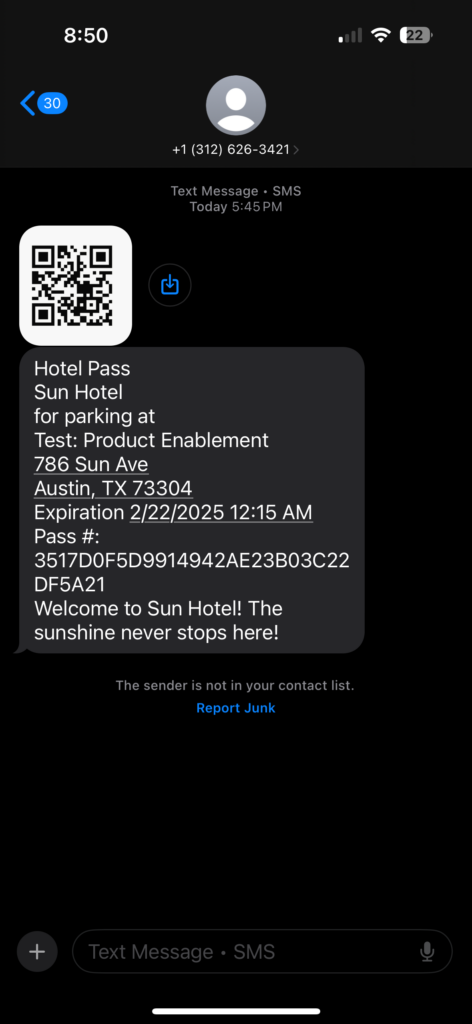
The guest will now be able to use that pass at the facility for the pre-programmed duration.