
You are able to configure FLASH AR to send automatic invoices for accounts that are late.
It will send an invoice with a one line item, flat/fixed late fee amount on the day of the month you’ve chosen for that location to generate late fees to accounts with past due balances.
One late fee invoice will generate for the account being late per month, not for each late invoice.
This can be setup by taking the following steps:
1- Ask the customer what they would like their late fee billing amount to be (must be fixed dollar amount).
2- For each location, create a Charge Type called “Late Fee” with the amount being what the customer requested.
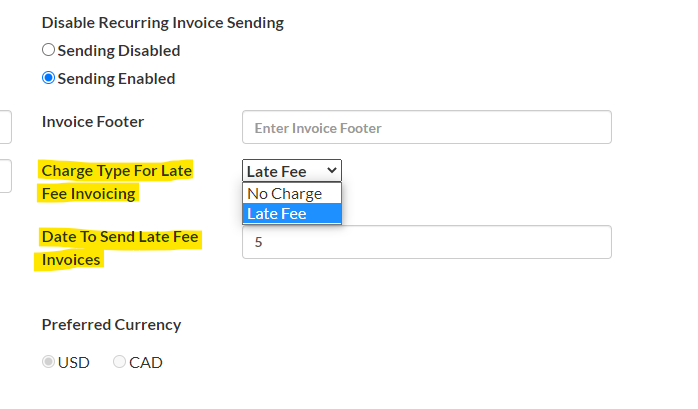
3- Go to the Edit Locations screen in the ParkIt Admin portal and select the newly created Charge type under “Charge Type for Late Fee Invoicing”.
4- Set a “Date to Send Late Fee Invoices”.
5- Ask the customer to make sure any accounts they do not wish to receive late fee invoices to Late Fee billing = “Off” on each account’s advanced tab.