• Product Launches
    • Express Pay
    • Vision
  • Status Page
  • Product Release Notes
  • Register
  • Log In
  • Product Launches
    • Express Pay
    • Vision
  • Status Page
  • Product Release Notes
  • Register
  • Log In

3rd Party API Integrations

  • Monthly APIs
    • Monthly API Calls & Guide - REST
      • GetAllMonthlies (REST)
      • GetMonthlyAccount1 (REST)
      • GetMonthlyContact1 (REST)
      • GetMonthlyProfiles (REST)
      • GetMonthlyVehicle1 (REST)
      • MonthlyAccount6 (REST)
      • MonthlyContact2 (REST)
      • MonthlyVehicle (REST)
      • RegisterMemberCard (REST)
      • RemoveChildAccountLink (REST)
      • ResetToNeutral (REST)
      • SetMonthlyContactExternalID (REST)
      • SetMonthlyProfiles (REST)
      • SetMonthlyVehicleExternalID (REST)

Configuration

  • Flash Admin Portal Configurations
    • Flash Admin Portal User Accounts
    • Gates Only User Role
    • Kiosk Configurations
    • PARCS Ticket Types Configs
    • Pricing Schedule
    • Time Zones
    • Flash Admin Portal Flag Glossary
      • Company Details
      • FlashPARCS tab
      • Monthly Details Tab
      • Restrictions Tab
      • Validation Account Flags
      • Validator Tab Flags
    • Flash PARCS Configurations
      • Cash Amount Due Portal Configuration
      • Flash PARCS Cashier Kit Configuration
      • FlashRates: PrePay Overnight At Kiosk (In-Out) configuration
      • Logical Zone Garage Groups
      • Monthly Master Account configuration
      • Overnight Self Park Configuration
      • Pre Pay Rate Configuration
    • Flash Valet Configurations
      • Employee Barcode Set Up
      • Flash Valet with DTC Configuration
      • SMS Response Options (Custom Labels)
      • Valet Monitor Configuration
    • Integrations Configurations
      • Fast Park Integration Configuration
      • HelpMeParker Configuration
    • PARCS + Valet Configuration
      • Late Checkout Price
  • Flash Rates Tool
    • FlashRates: PrePay Overnight At Kiosk (In-Out) configuration
  • Parkonect Configurations
    • How to Set up Membership API in Parkonect
    • Parkonect + ParkWhiz Reservations / PreSales
    • Parkonect DTC with LAZ Configuration
    • Parkonect: Banner Ads Module 
    • Parkonect: Hotel Parking Pass Module Configuration
    • Parkonect: How to Customize Touchscreen Messages
    • Parkonect: License Plate Look Up Config
    • Parkonect: Pass Generator Configuration
    • Parkonect: Point of Sale Configuration
    • Parkonect: Transient Credit Card In/Out
  • ParkWhiz Console Configurations
    • Parkonect + ParkWhiz Reservations / PreSales
    • ParkWhiz Multipasses

EV Charging

  • Install and Run the EV Simulator (OCPP)

Event

  • BallParc General
    • Adyen NYC1 Credit Card Reader
    • Adyen NYC1 Device Manager
    • Adyen NYC1 Processing Transactions

Flash Valet

  • Adyen
    • Adyen NYC1 Credit Card Reader
    • Adyen NYC1 Device Manager
    • Adyen NYC1 Processing Transactions
  • Flash Valet App
    • eParking Counts Tab – Flash Valet
    • Flash Valet Support Button
    • High Volume Mode
    • IVR Calls
  • Flash Valet Hardware
    • Flash Valet Monitors
  • Flash Valet Modules
    • Flash Valet Retrieval Monitors: Scenarios
    • Hotel Arrivals List for Valet
    • Valet Monthly Module
      • Valet Retrieval via Validation Portal for Monthly/Resident
    • Valet Validation Module
      • Flash Valet Request History

Hardware Library

  • Flash PARCS Hardware
    • Transcore Encompass 4 RFID Reader (AVI)

Parkonect

  • Parkonect Dashboard
    • Parkonect: Dashboard Overview
    • Parkonect: Dashboard Quick Reference
    • Parkonect: Garage Management
    • Parkonect: How To Add Users
    • Parkonect: Insights Analytics
    • Parkonect: Live Data
    • Parkonect: Monthly Calendar
    • Parkonect: Presale Calendar
    • Parkonect: Reports
    • Parkonect: User Accounts
  • Parkonect FAQs
    • Parkonect How Do I Get A Parking Receipt?
    • Parkonect: Failed Scans Explained
    • Parkonect: How Does Parkonect Prioritize Service Calls?
    • Parkonect: How to Re-connect Lost Skidata Connection
    • Parkonect: How to Recover Your Password
    • Parkonect: How to Refund a Customer
    • Parkonect: How to Setup Towing Enforcement
    • Parkonect: How to Update Your Password
    • Parkonect: PARIS Software by IntegraPark
    • Parkonect: User Types
  • Parkonect Garage Management
    • Parkonect: How to Schedule Lanes (Sleep)
    • Parkonect: Search and Send
  • Parkonect General
    • Parkonect Entry/Exit Methods
    • Parkonect Modules Summary List
    • Parkonect Network Information
    • Parkonect: System Overview
  • Parkonect Hardware Manuals
    • Parkonect Magnetic: Parking Pro Wiring & Programming Guide
    • Parkonect Magnetic: Programming Guide Control Unit MGC and MGC-Pro for MHTM Microdrive Barriers
    • Parkonect: Gen 1 Firmware Update (V1 Board)
    • Parkonect: Gen 1 Firmware Update (V2 Board)
    • Parkonect: Gen 1 Intercom Button Cover Installation Guide
    • Parkonect: Gen 2 7800 Update Guide
    • Parkonect: Gen 2 Intercom Button Cover Installation Guide
    • Parkonect: Gen 2 Quick Start Manual
    • Parkonect: Magnetic Gate MHTM MicroDrive: Control Unit MGC and MGC-Pro User Guide
    • Parkonect: TD9000 Syspark Printer Programming Guide
    • Parkonect: Validation Station Quick Start Wiring Diagram
  • Parkonect Hardware Troubleshooting
    • Parkonect: Common Hardware & Key Identification
    • Parkonect: Gen 2 Ticket Cutter QR Solution
    • Parkonect: Hengstler Printer Cleaning & Maintenance Guide
    • Parkonect: How to Acquire Hardware MAC Address
    • Parkonect: How to Identify & Fix Your Gate: HySecurity & Magnetic Gate Tech Support Phone Numbers
    • Parkonect: How to Identify Your Hardware & Firmware
    • Parkonect: How to Power Cycle & Reprogram a Validation Station
    • Parkonect: How to Powercycle a Door Controller
    • Parkonect: How to Put Magnetic Gate into Service Mode
    • Parkonect: How to Update Firmware on Gen 2 via Thumbdrive
    • Parkonect: Printer Dust Removal Guide PDF
    • Parkonect: Replacing Ticket Roll Guide (2020 & later Models)
    • Parkonect: Service Tech Notes
    • Parkonect: SysParc Clock Adjustment Guide
    • Parkonect: What kind of paper rolls do I need to order?
    • Parkonect: Which washer to use to prevent “walking” rolls?
  • Parkonect Hardware Tutorial Videos
    • Parkonect VIDEO: How to Clean & Clear Jams in the Hengstler Printer
    • Parkonect VIDEO: How to Load Ticket Stock Gen 2 Hengstler
    • Parkonect VIDEO: How to Open & Power Cycle Gen 2 Towers (Add On System)
    • Parkonect VIDEO: How to Open Gen 2 & Power Cycle (Full System)
    • Parkonect VIDEO: How to Power Cycle Gen 1 P-Series (Add On System)
  • Parkonect Integrations
    • Parkonect Digital Ticket Checkout with LAZ
    • Parkonect: Point of Sale Integration
  • Parkonect Kiosk Related
    • Parkonect Sleep Mode
    • Parkonect Supported Bit Counts
    • Parkonect: Banner Ads Module 
    • Parkonect: Customize Touch Screen
    • Parkonect: Disable Displaying Names On Kiosk
    • Parkonect: How to Customize Touchscreen Messages
  • Parkonect Monthly
    • Parkonect: How to Add a New Monthly Account
    • Parkonect: How to Set Monthly Parkers to Neutral
    • Parkonect: Monthly Flex Pass
    • Parkonect: Passkit Create Monthly QR Code
  • Parkonect Occupancy
    • Parkonect: Control Transient Parker Access – Off/On Schedule
    • Parkonect: Lot Full Enforcement Module
  • Parkonect Overnight
    • Parkonect: Hotel Parking Pass Module
    • Parkonect: Hotel Parking Pass Module Configuration
    • Parkonect: Hotel Pass Recovery or Edit
  • Parkonect PDF Guides
    • Parkonect: Garage Admin User Guide (Add On System) PDF
    • Parkonect: Garage Admin User Guide (Full System) PDF
    • Parkonect: Hotel Portal Garage Admin User Guide PDF
    • Parkonect: Hotel Portal Staff (Add On System) User Guide PDF
    • Parkonect: Hotel Portal Staff (Full System) User Guide PDF
    • Parkonect: Parking Pass Generator Tenant PDF User Manual
    • Parkonect: Tenant Portal Voucher User Guide PDF
    • Parkonect: Web Validator User Guide PDF – Easyvalidator.com
  • Parkonect Reports
    • Parkonect Category: Hotel & Valet
    • Parkonect Report Category: Monthly
    • Parkonect Report Category: Occupancy
    • Parkonect Report Category: PreSales
    • Parkonect Report Category: Revenue & Validations
    • Parkonect Reporting Overview
  • Parkonect Supply Order Forms
    • Parkonect: Street & Lot Spitter Ticket Order Form
    • Parkonect: Street & Lot Validation Order Form
  • Parkonect Transient
    • Parkonect Entry/Exit Methods
    • Parkonect: License Plate Look Up on POF
    • Parkonect: Transient Credit Card In/Out
    • Parkonect Reservation Engine
      • Parkonect + ParkWhiz Reservations / PreSales
      • Parkonect: Get to Know Your Reservation System
      • Parkonect: Post Parking
      • Parkonect: Promos
      • Parkonect: Reservation Engine Client Email
      • Parkonect: Reservation Engine Introduction
      • Parkonect: Reservation Engine Receipt Setup Sheet Template
      • Parkonect: Reservation Engine Reports
      • Parkonect: Reserve Parking
      • Parkonect: Settings
    • Parkonect Validation
      • How to Generate & Print Your Own Validations
      • Parkonect: How to Add or Edit Validations
      • Parkonect: Tenant Vouchers Module
      • Parkonect: Validate via Parkonect Admin portal
      • Pass Generator Module
        • Parkonect: Parking Pass Generator Module
        • Parkonect: Parking Pass Generator Tenant PDF User Manual
        • Parkonect: Parking Pass Reporting
        • Parkonect: Pass Generator Configuration
        • Parkonect: Review, Reissue, or Cancel Parking Pass
    • Rate Management
      • Parkonect Weekly Rates
      • Parkonect: Add a New Rate Sheet
      • Parkonect: How to Add Special Events via the Garage Rate Calendar
      • Parkonect: PrePay at Entry
  • Software Tutorial Videos
    • Parkonect VIDEO: Hotel Portal Guest Use Tutorial
    • Parkonect VIDEO: How to Add a Hotel User
    • Parkonect VIDEO: How to Add a Monthly Parker
    • Parkonect VIDEO: How to Add a Sublot & Assign Access Level to Sublot
    • Parkonect VIDEO: How to Add a Validator User
    • Parkonect VIDEO: How to Add an Account to House Monthly Parkers
    • Parkonect VIDEO: How to Add an Employee User
    • Parkonect VIDEO: How to Add Barcodes for Ticket Printing
    • Parkonect VIDEO: How to Add Monthly Access Levels for Custom Access to Parkers
    • Parkonect VIDEO: How to Add Specials to Rate Sheets
    • Parkonect VIDEO: How to Blackout Dates in Post-Parking Online Sales
    • Parkonect VIDEO: How to Build a Basic Rate Sheet
    • Parkonect VIDEO: How to Create & Edit Products in Post Parking for Parkonect Sales
    • Parkonect VIDEO: How to Create & Print Your Own Validations
    • Parkonect VIDEO: How to Create a Digital Pass for a Monthly Parker
    • Parkonect VIDEO: How to Create a Validation (Dollar Discount)
    • Parkonect VIDEO: How to Create a Validation (Percent Discount)
    • Parkonect VIDEO: How to Create a Validation (Rate Sheet)
    • Parkonect VIDEO: How to Create A Validation (Time Discount)
    • Parkonect VIDEO: How to Create and Send a Parking Pass
    • Parkonect VIDEO: How to Create Promotions for Parkonect Post Parking Products
    • Parkonect VIDEO: How to Customize Top 5 Rows of Printer Receipt Ticket
    • Parkonect VIDEO: How to Deactivate, Unassign, or View Users
    • Parkonect VIDEO: How to Manually Enter a Parker
    • Parkonect VIDEO: How to Send Digital QR Monthly Pass via Passkit
    • Parkonect VIDEO: How to Set Lane Sleep Times
    • Parkonect VIDEO: How to Set Time Restrictions & Pool Size Limit on an Account
    • Parkonect VIDEO: How to Set Up Valet Accounts
    • Parkonect VIDEO: How to Setup 3rd Party Early Entry / Overage Charges
    • Parkonect VIDEO: How to Use Easyvalidator.com
    • Parkonect VIDEO: How to Use the Garage Rate Calendar
    • Parkonect VIDEO: How to View Lane Downtime History
    • Parkonect VIDEO: Software Introduction Pt.1 (All Systems)
    • Parkonect VIDEO: Software Introduction Pt.2 (All Systems)
    • Parkonect VIDEO: Why doesn’t my parking pass work?
  • Valet Hiker Guides
    • Parkonect: Valet Hiker Overview
    • Parkonect: Valet Hiker Reporting
    • Parkonect: Valet Hiker Ticket Recommendations

Solution Guides

  • Hotel Solutions
    • Hotel Reusable Pass Options for PARCS

Vision LPR

  • Flash LPR Application
  • Flash PARCS LPR Blacklist
  • Flash Vision Logical Zone Transitions
  • LPR and Spare Tires
  • FlashVision (Uncanny based)
    • Flash Vision Hardware
    • FlashVision Dashboard (Uncanny based)
    • LPU Config Finalization
    • LPU Initial Setup and Portal Configuration

ZipPark Admin

  • ZipPark Portal: Dashboard and Event Calendar
  • ZipPark Portal: Interface
  • ZipPark Portal: Multi-Use Passes
  • ZipPark Portal: Overview
  • ZipPark Portal: Reports
  • ZipPark Portal: Users
  • ZipPark Portal: Validations
View Categories
  • Home
  • Docs
  • Parkonect
  • Parkonect Integrations
  • Parkonect Digital Ticket Checkout with LAZ

Parkonect Digital Ticket Checkout with LAZ

2 min read

CPQ Infon/a
Dev Taskn/a
Configuration Access
Firmware Version RequirementLatest firmware ver. recommended
Known Limitationsn/a
Also known as
Sales and Marketing Assetsn/a
L&D Course

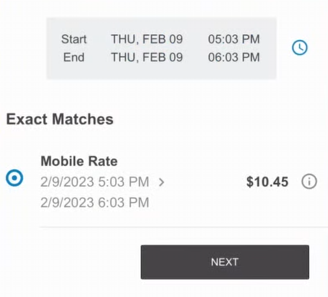
The Parkonect LAZ DTC integration enables parkers to scan a QR code provided by Parkonect upon entry, allowing them to access LAZ’s mobile payments portal.

Note

LAZ DTC is not a paid module

Requirements #

  • Requires the latest Parkonect firmware version.

How it Works  #

With the LAZ DTC integration, drivers enter the parking facility in one of two ways: by pulling a ticket or by entering their phone number.

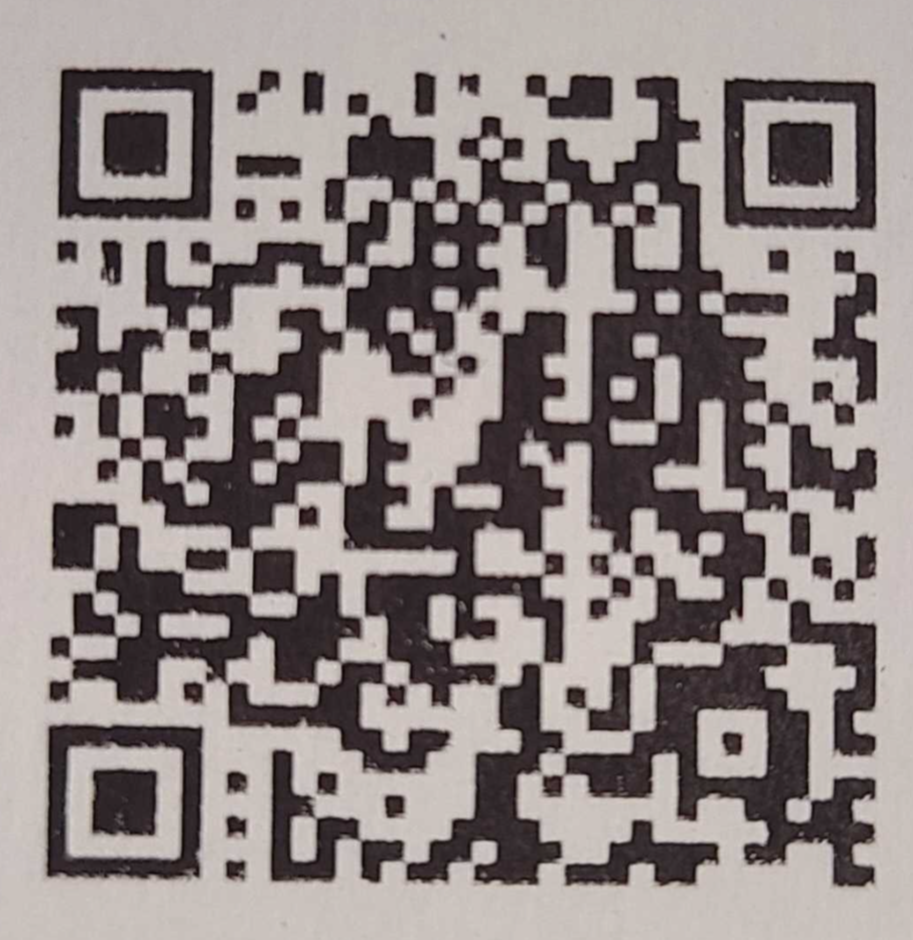
  • Ticket entry: Drivers pull a ticket upon entry. The ticket includes a barcode that is scanned to begin the payment process.
  • Phone number entry: Drivers enter their phone number at entry and receive a text message with a link to pay for parking.

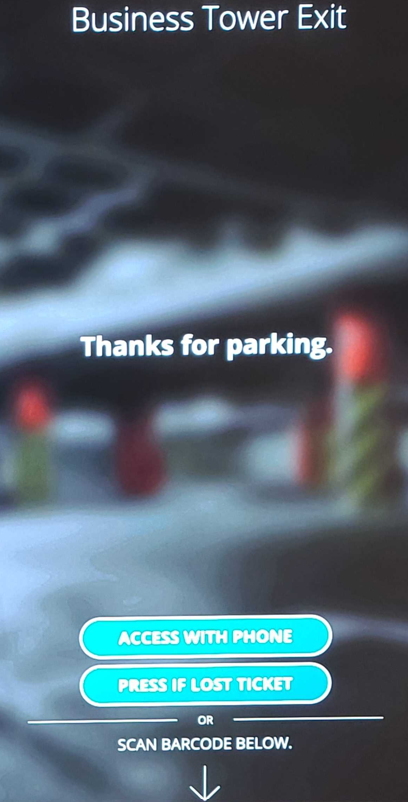
During payment, drivers are directed to a LAZ Parking–branded checkout experience. After payment is complete, drivers exit the facility by scanning either the barcode on their physical ticket or the digital barcode provided on their payment receipt.

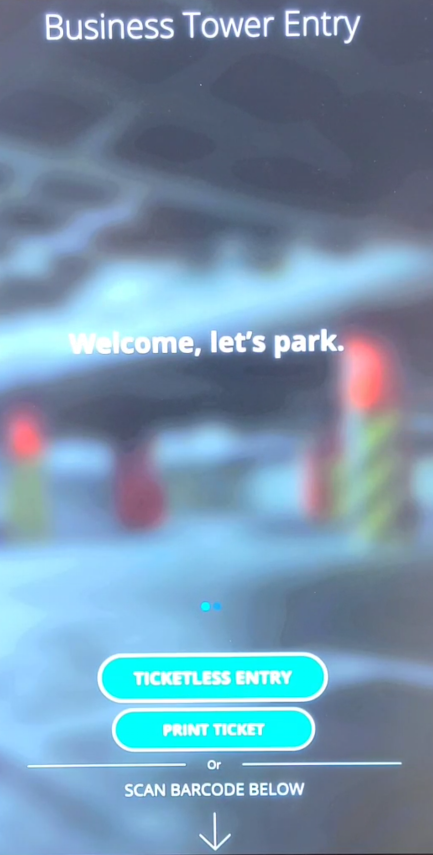
  1. Drivers arrive at the entry kiosk. To enter, drivers either press Print Ticket to receive a ticket or select Ticketless Entry, enter their phone number, and receive a text message containing a payment link.
  1. The driver scans the QR code on the ticket or taps the payment link received via SMS. Either method directs the driver to the LAZ web payment experience.
  1. Once payment is complete, the driver scans the paper ticket barcode or the digital barcode at the exit kiosk to exit the facility.
Implementation #

See the configuration page here for steps on how to configure LAZ with DTC.

Compatibility list #

  • Parkonect Ten Key Module
    • When customers enter with their mobile number the LAZ DTC URL is sent to them via SMS, allowing them to complete the process without having to pull a ticket.
  • Parking Cashier
    • Parkonect’s Parking Cashier redirects users to the LAZ DTC experience.
  • Rebill Vendor
    • Allows LAZ to charge and collect overage fees from users.

Related Reports #

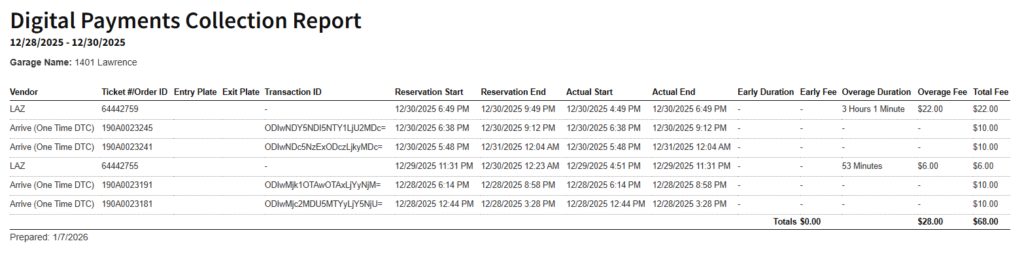
  • Digital Payments Collection Report:  Reconciliation of all penalty fees rebilled to 3rd party vendors
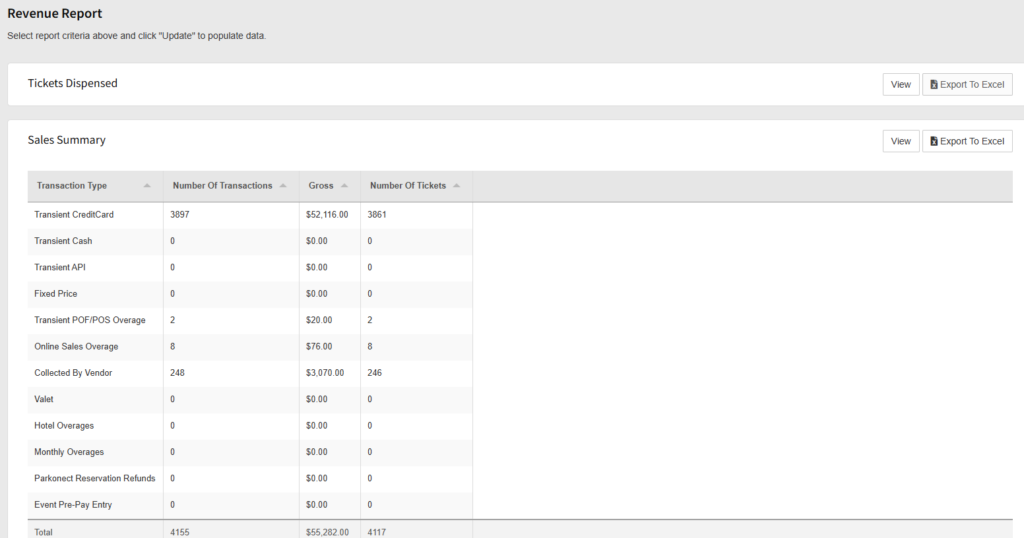
  • Revenue Report

Notes #

  • LAZ DTC integration is not a paid module.
  • The URL the user receives by scanning the barcode on the ticket or via SMS looks like this:
    • https://clip.lazparking.com/x/[LAZPropertyID]?ticketid=[PKTicket#]
Did you find this article helpful?
Still stuck? How can we help?

Still stuck? How can we help?

Updated on January 13, 2026
In this article
  • Requirements
  • How it Works 
  • Implementation
  • Compatibility list
  • Related Reports
  • Notes
Royal Elementor Kit Theme by WP Royal.