
1- Set the rate code that you are no longer accepting parkers at to “Waitlist” (see “How do rate codes + charge types work?” for an explanation on how to do that).
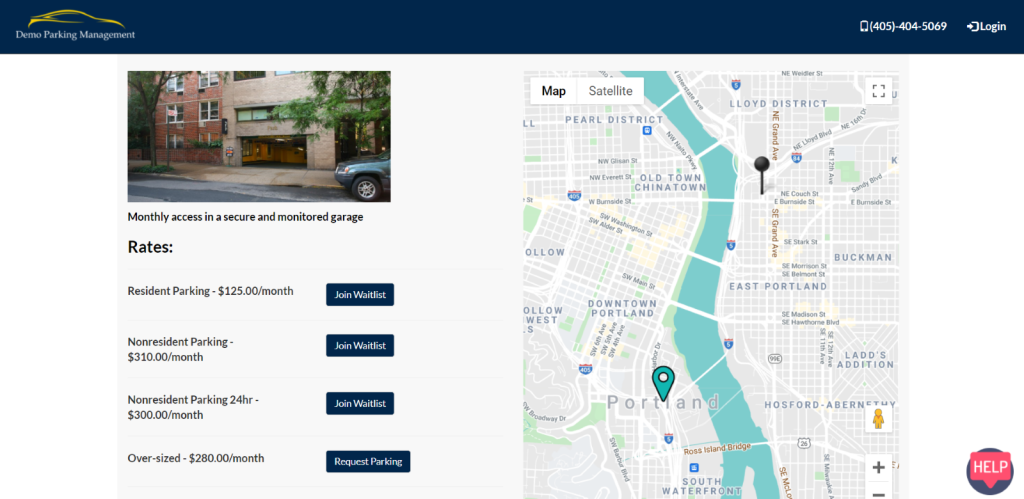
2- Either the operator or the parker can go to the location portal page seen below to select the waitlisted rate code (you don’t need to be logged in to any account to do this so the operator is able to make waitlist submissions on behalf of the parker).
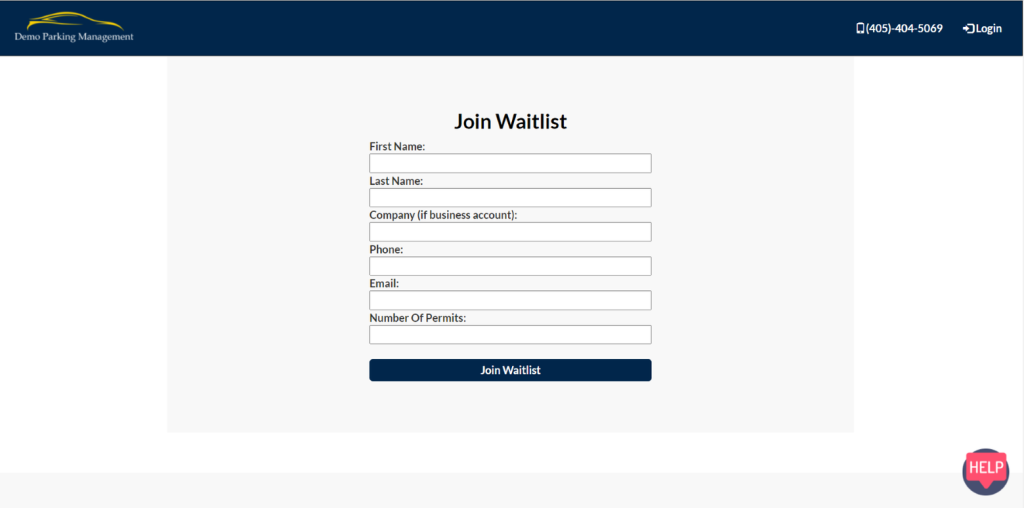
3- Fill out the “Join Waitlist” form and submit the form. No email will send to the parker about waitlist submission nor will they receive an email about their place in line. It is up to the operator’s discretion to decide who will be activated. The operator will receive an email for any new waitlist submissions.
4- Once the waitlist form has been submitted, the parker will show up in your waitlist list:
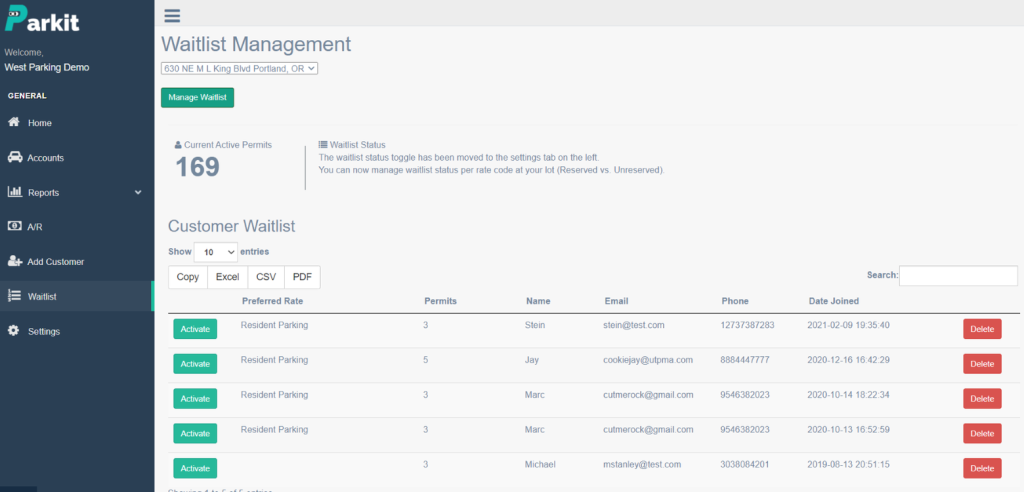
5- If you select “Activate” that will move this parker to your pending status on your accounts page. The parker will receive an email alert with a link to complete their parking account.