
The Valet Retrieval Monitor solution allows a location to display the valet ticket retrieval status on a monitor display screen to valet parking customers, valet operators, or both. The ticket numbers and the vehicle request status are displayed with visibility of the wait time and which vehicles have been retrieved.

Requirements #
- A Flash Controller (MINIX computer)
- Wired Internet connection
- HDMI cable
- TV or monitor
- Weatherproof enclosure if TV/Monitor is installed outdoors
- Secure Lockdown configuration
- Contract update. Contact Sales before implementing this feature.
How it works #
The solution utilizes a Flash Controller (Minix computer) that is connected to the Internet via a wired Ethernet connection. It is also connected to a TV or monitor through an HDMI cable or, when needed, an HDMI-to-CAT5 converter. For each location using this setup, a unique URL is generated and loaded in a web browser on the controller. To ensure the browser remains active and restricted to displaying only the designated URL, Secure Lockdown software is implemented. This configuration guarantees a stable and controlled display environment.
Screen Variations #
Depending on the screen size, resolution may change the visualization for the Valet Monitors window. For example, a 19’ monitor can be used both in landscape and portrait modes to display tickets with a difference in the amount of tickets shown due to the availability of extra space in one mode over the other (see example below).
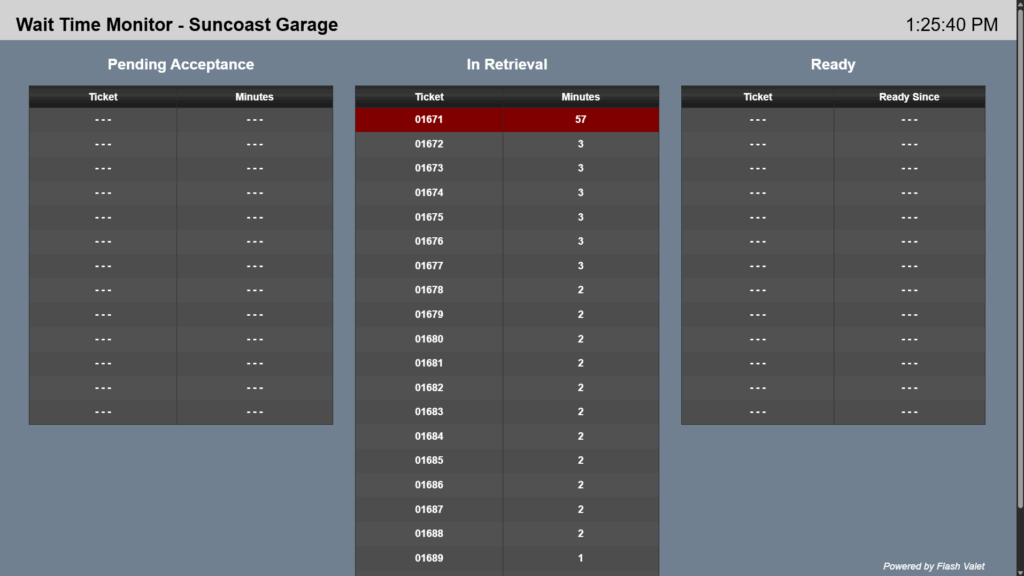
View in 19’ on Landscape Mode
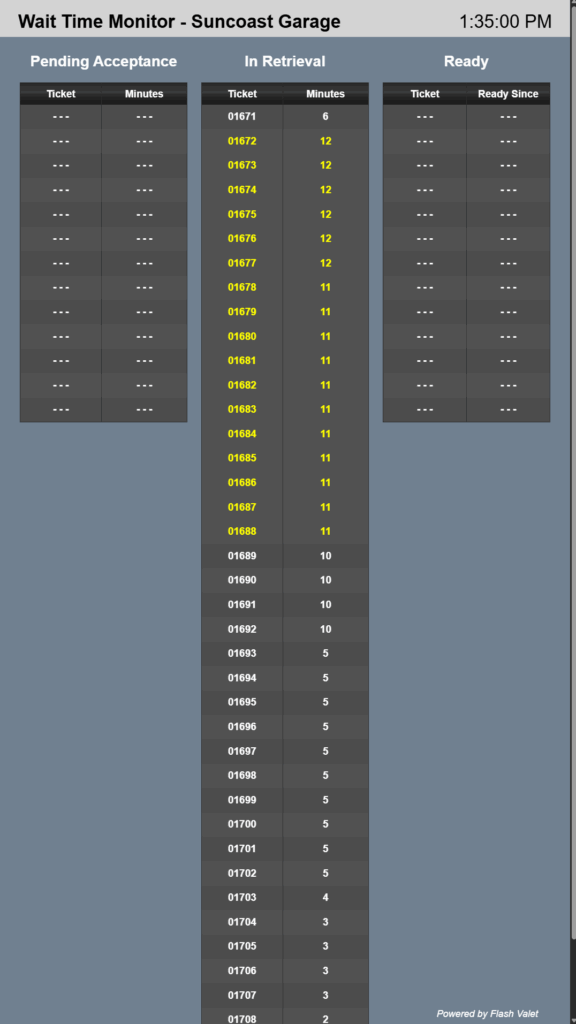
View in 19’ on Portrait mode
Whereas, when viewed on a 40″TV screen, even with a resolution of 1920×1080 pixels, tickets and location names can appear limited and overlapping in comparison to other screen sizes, although they will be displayed larger and clearer.
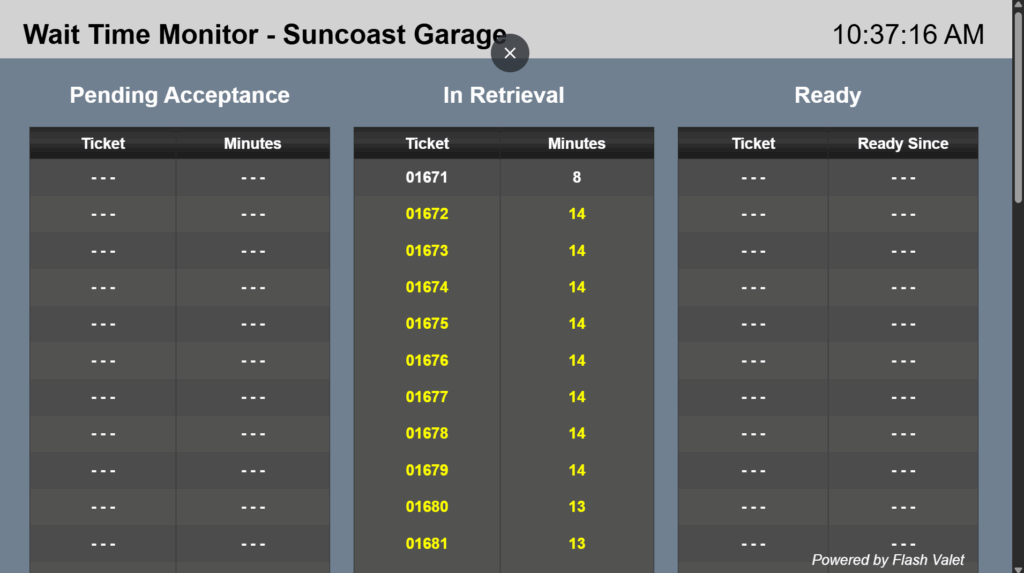
View in 40’ in Landscape mode
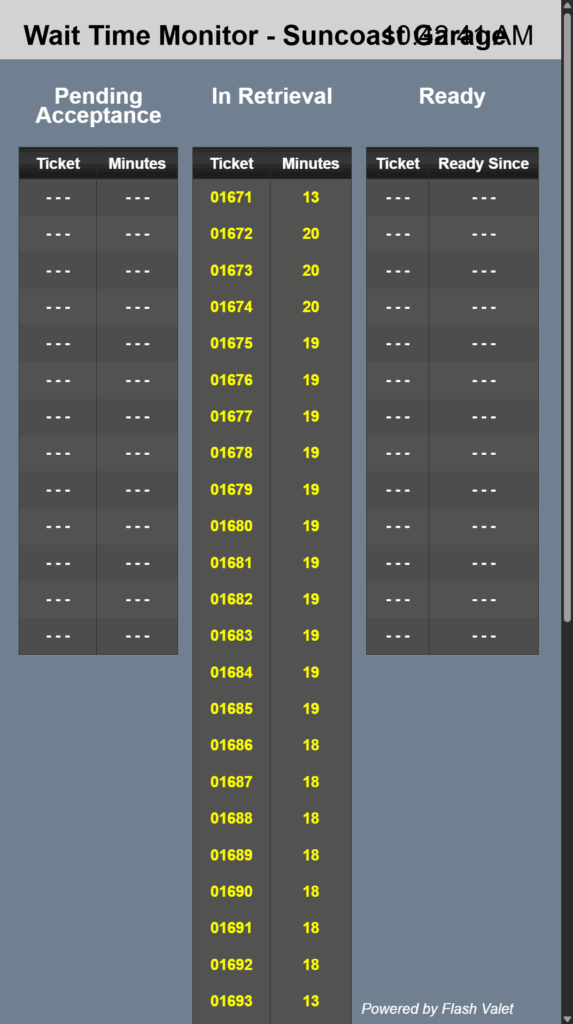
View in 40’ on Portrait mode
Scenarios #
This document details what information the Valet Monitors show depending on the type of parker, request, and runner mode Flash Valet Monitors: Scenarios
Implementation #
For steps to configure Valet Monitor please refer to the Valet Monitor Configuration page.
Tips and notes #
- After the initial request by the customer, valet accepts the request which prompts the system to update the vehicle on screen. Please note that the screen uses a 30-second margin to refresh.
- The Valet Monitor feature works seamlessly with PARCS Access mode. Note that tickets will still need to be completed via the Flash Valet app.
- The amount of tickets shown in the monitor screen will depend on the resolution of the physical monitor. For example, a 19″monitor will display approximately 19-38 tickets, depending on the selected display mode, while a 40″ screen can display from 11-22, depending on the configuration.
- Valet Monitors can be used with or without the Originating Kiosk flag.
- Monthly and resident customers are shown by last name in the Valet Monitors screen, regardless of which monthly parking credentials are scanned.