
Parkonect’s Valet Hiker provides full visibility into every valet parking transaction, instead of relying on FOBs or on validations that can’t be accurately linked to a vehicle’s entry time. This ensures better control of parking inventory and supports more accurate revenue management.
How to Set Up a Monthly Valet Account #
On the Garage Setting page, you will need to set up both a Valet Monthly Account and a Valid Barcode Range.
- Garage Settings > Accounts > Add New Account to configure the monthly account.


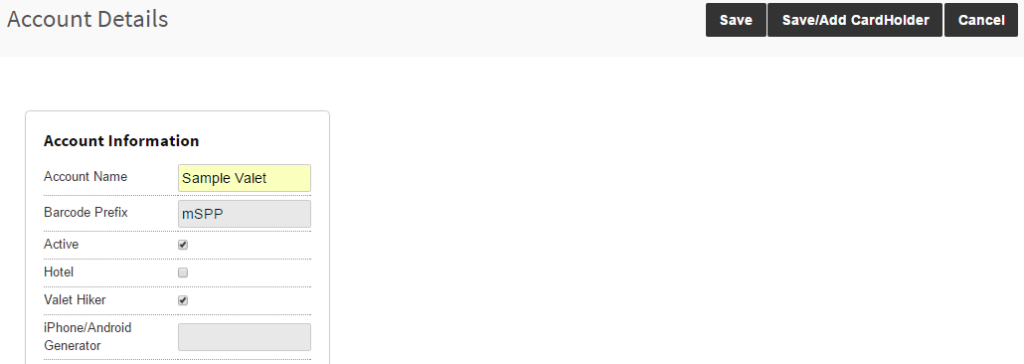
- It is recommended to give each third-party valet company their own account in Parkonect. When building the monthly account, be sure to include the following:
- Account Name
- Barcode Prefix—This must always start with an “M”, followed by any character.
- Select the “Valet Hiker” check box.
- Click “Save/Add Cardholders”
Adding Cardholders #
- Click “Edit Cardholders” in the desired account > click “Add New Parker”.
- Once you have selected Add New Parker, proceed by adding the cardholder’s information.
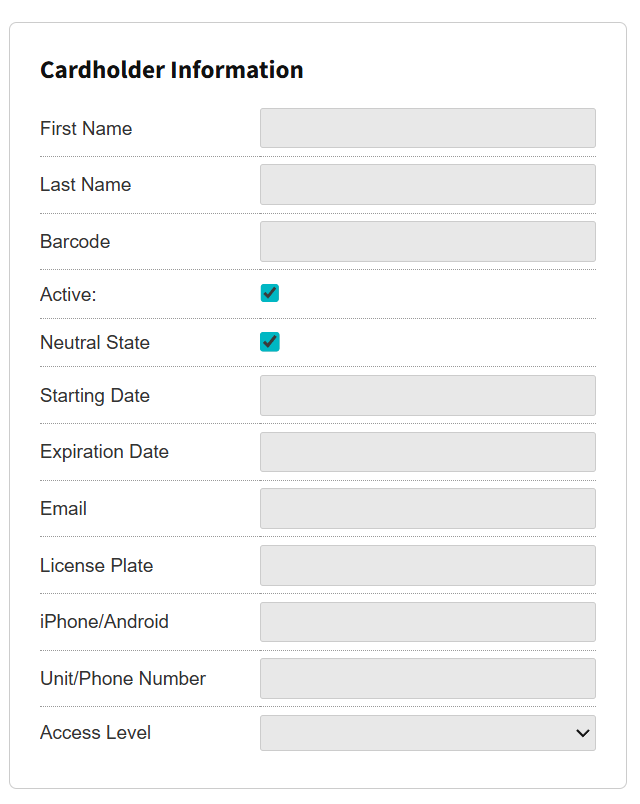
- First and Last Name
- Barcode: It is recommended to use Parkonect monthly passes, which have the barcode printed at the bottom of the pass. This is the number you needed to enter in the barcode box.
- “Active” and “Neutral State” boxes must be checked.
- Starting Date: Enter the date on which you are creating the cardholder.
- Click Save.
Barcode Range #
Each 3rd Party valet company must have its own barcode range so you can differentiate from a reporting and occupancy standpoint.
Adding a Barcode Range #
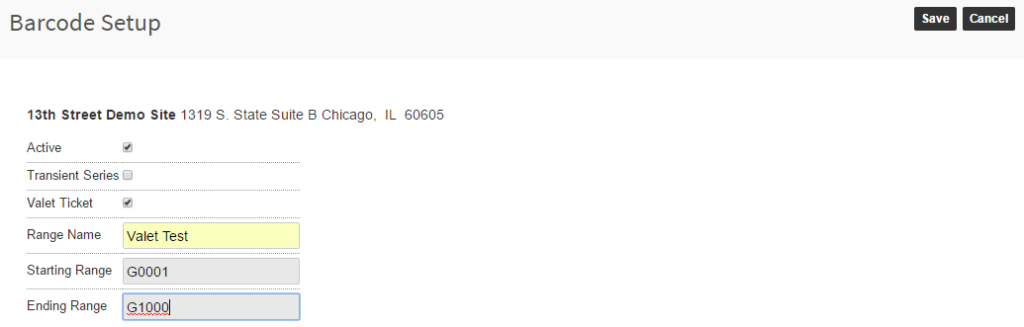
- Go to Garage Settings > Barcodes > Add Barcode Range.
When adding a new barcode range, be sure to do the following:
- Name the Range
- Select “Active” and “Valet Ticket”
- Enter the starting and ending ticket numbers for the barcode range.
- Click “Save”
Options for Barcode Configuration #
Valet tickets/barcodes can be configured differently based on garage type.
Valet Multi-Use Barcode
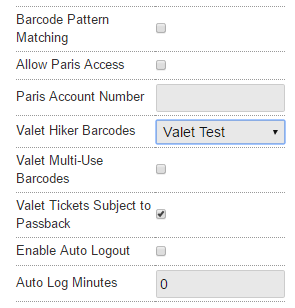
The “Valet Multi-Use Barcodes” box should be checked if
- Customers will be allowed to use valet to have “In/Out” privileges.
- Valet barcodes will be reused.
Valet Tickets Subject to Passback
Similar to a monthly parker, valet tickets can have passback restrictions associated with them, which is recommended. This means that each valet ticket must be scanned at entry before our software will allow a valid scan upon exiting.
Parkonect: Valet Hiker Ticket Recommendations #
- You should use QR codes that are ~ .75” x .75” in size .
- Ticket numbers should be sequential and the # of digits should never change.
- For instance, if you’re ordering 100 tickets, don’t order 001-100; order 000001-000100 instead.
- A letter should be placed in front of the ticket range.
- For instance, E000001-E000100
- Some letters can’t be used with the Parkonect system (H, M, P, V, W, Z – they’re used for other barcodes like validations and monthly)
- Don’t use dark-colored ticket stock.
- Scanners have a hard time picking up the black QR code against a dark blue ticket stock (as an example)
- Include the QR code on all parts of the ticket (so if a valet loses a part, the windshield tag or claim check can always be used for ingress.