
The License Plate Recognition (LPR) Service is a critical component of the PARCS system that reads vehicle license plates and communicates with entry/exit kiosks to grant parking access.
Phase 1 focuses on foundational infrastructure and logging improvements to increase stability, streamline maintenance, and speed up troubleshooting.
Improvements #
| Area | Previous Pain Points | Phase 1 Enhancements |
| Communication | SignalR protocol was error-prone, causing intermittent drops and failures between LPR and kiosks. | Migrated to MQTT, an industry-standard messaging protocol that provides robust, reliable connections. |
| Logging | High log volume with significant noise made root-cause analysis difficult during outages. | Implemented cleaner, high-value logging focusing strictly on essential troubleshooting events. |
| Visibility | Absence of full lifecycle tracking after plate reads (confirming actual entry/exit). | Introduced a Confirmation Event for ingress (entry) and egress (exit) to establish end-to-end traceability. |
| Deployment | Upgrade procedures carried risk and operational overhead. | Streamlined deployment and rollback processes to minimize upgrade risk. |
Requirements #
- Kiosk: 4.0.11.0 or later
How It Works #
| 1. Plate Read Captured: | The LPR system detects and reads the vehicle license plate at the kiosk. |
| 2. MQTT Signal Transmitted: | The LPR Service communicates with the kiosk via the new, stable MQTT messaging protocol. |
| 3. Ingress / Egress Confirmation Triggered: | The system generates an explicit confirmation event verifying whether the gate vended and access was granted. |
| 4.Optimized Log Recording: | The system records actionable telemetry for visibility and end-to-end tracing without excessive system noise. |
Implementation #
FlashParcs + LPR Service #
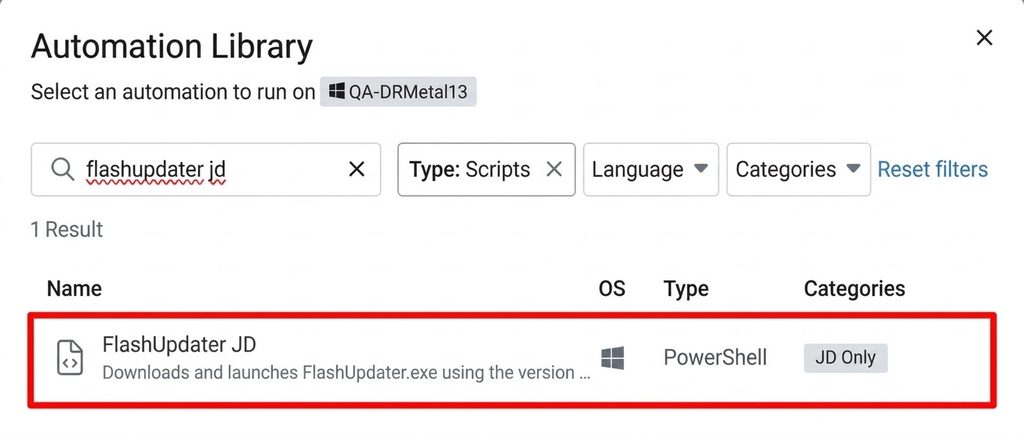
These can both be rolled back together with recent changes to the FlashUpdater, as described in further depth below.
NOTE FOR Kiosk 4.0.8.2-b + LPR 4.0 BETA RELEASE:
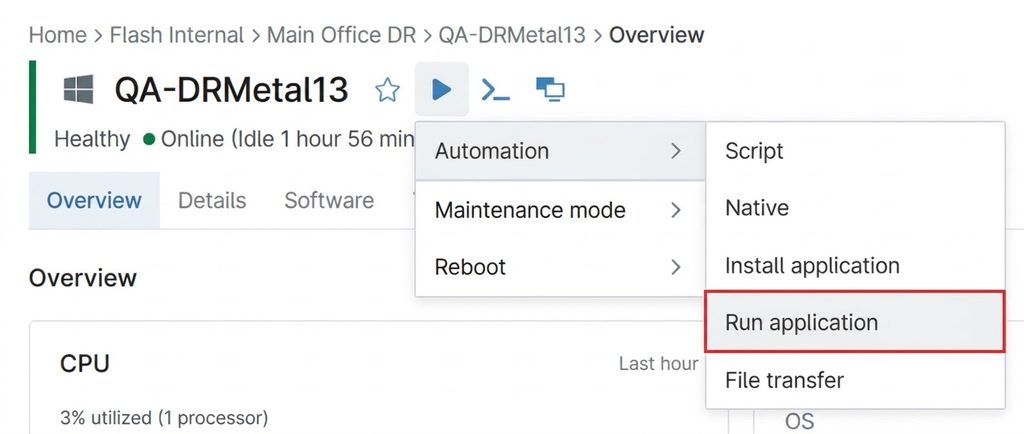
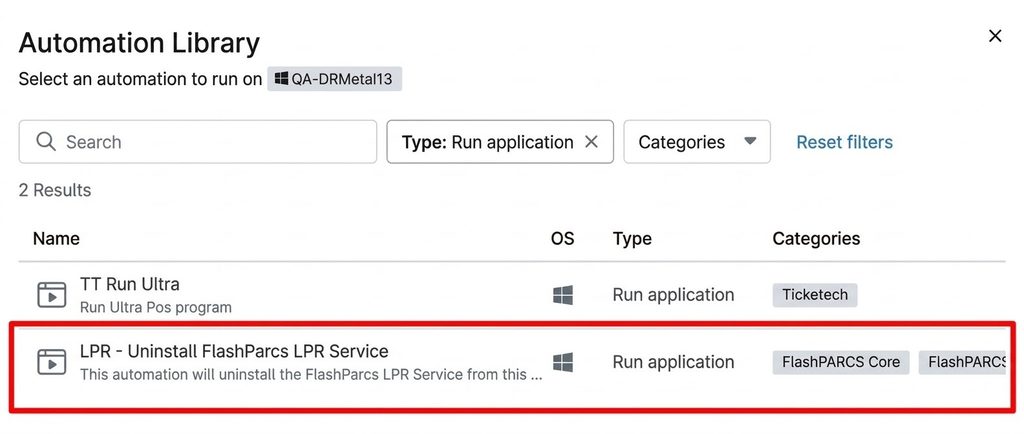
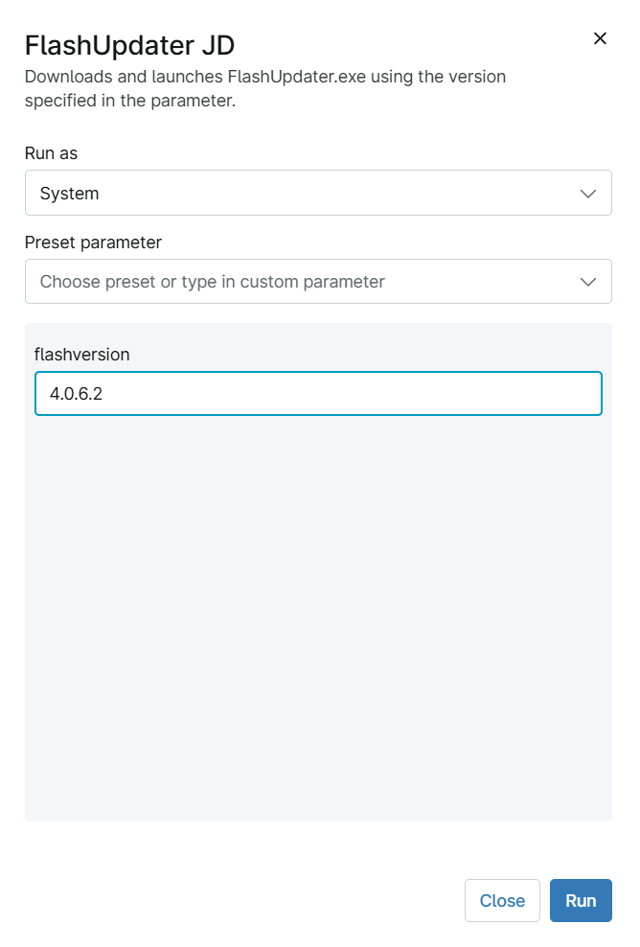
The process does not work precisely as described below to avoid issues in production with FlashParcs. To roll back using FlashUpdater, we will need to first run the LPR – Uninstall FlashParcs LPR Service automation in Ninja.
1: Locate and Select the Target Kiosk Device**
- Log in to the NinjaOne console.
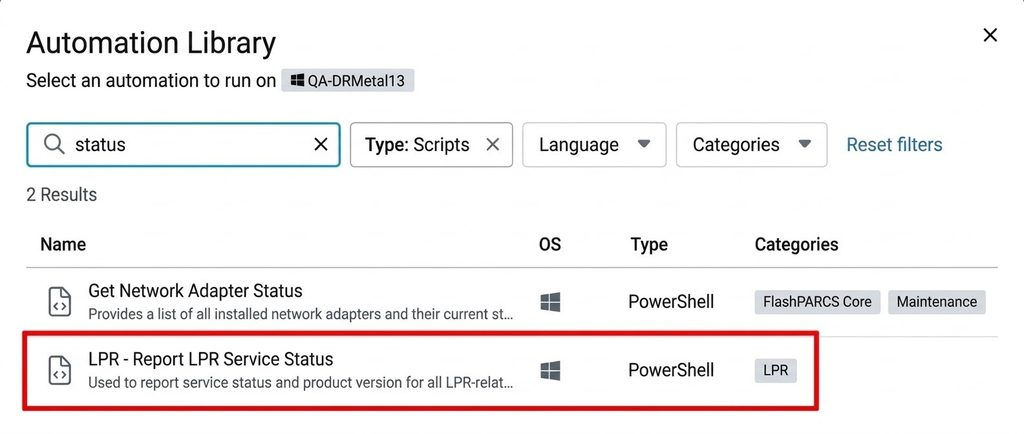
- In the device inventory/search list, locate and select the target kiosk system (e.g., QA-DRMetal13 or the intended lane terminal).
- Access the Automation Library
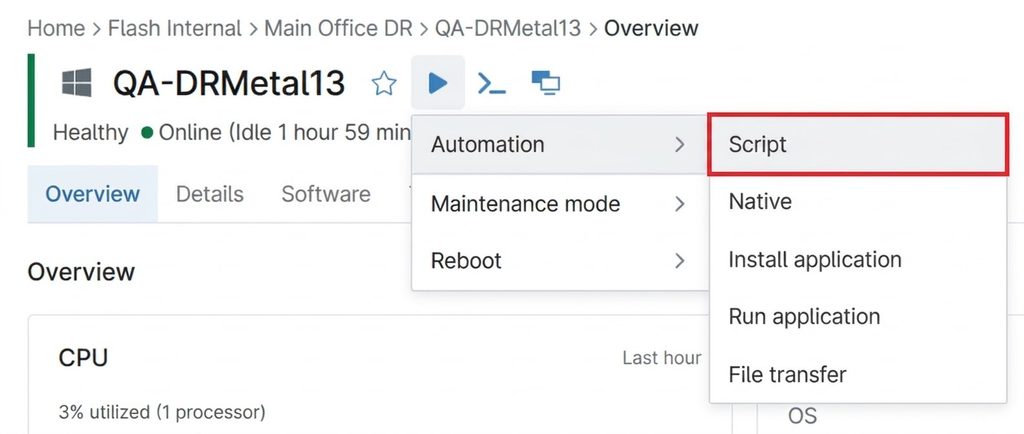
- On the device overview screen, click the Play button / Run Automation menu.
- Select Script / Run application to open the Automation Library modal window.
2. Run FlashUpdater as expected, targeting a safe production version.
3. Don’t forget to double-check your work! Once that report is finished, run the LPR – Report LPR Service Status automation and ensure it outputs the desired version numbers for both FlashParcs and LPR Service.
How to Update the Kiosk Using FlashConfig #
| 1. Open the kiosk on the Windows Kiosk screen. Open FlashConfig. |  |
| 2. Go to PARCS Version Selector and click in the Production Builds box to open a drop-down menu. |  |
| 3. In the drop-down menu, click on the build version required for the update (Version 4.0.11.0 or later) |  |
| 4. Verify that the required version was selected and click on the Update button. Wait for the version to update. |  |
Use Cases #
What problems does it solve? #
- Reduced Downtime: Significantly fewer LPR-related outages and signal drops across deployment sites.
- Faster Support Resolution: Clearer, contextual log data helps engineering and support teams pinpoint failures faster.
- End-to-End Auditability: Full visibility into the parker journey from initial plate capture to final gate vend.
Additional Notes #
- Vision Systems: No changes to HTS, FVR, or Uncanny components.
- Testing Infrastructure: Test tools remain unchanged.
- FlashParcs Integration: Changes are strictly confined to supporting the MQTT migration.