
The Parking Pass Generator module lets validation and admin users log in to validationparking.com to create a digital Parking Pass and send it to recipients by text or email. Each pass is tied to a validation rate and can be scanned at entry and exit for garage access.
How to create a parking pass #
Step 1
Navigate to validationparking.com using your browser URL. Sign in using your Parkonect portal user account credentials.

Step 2
Once you have signed in, select the garage where you would like to generate a parking pass. Once chosen, click “submit”. A user can have access to multiple garages.

Step 3
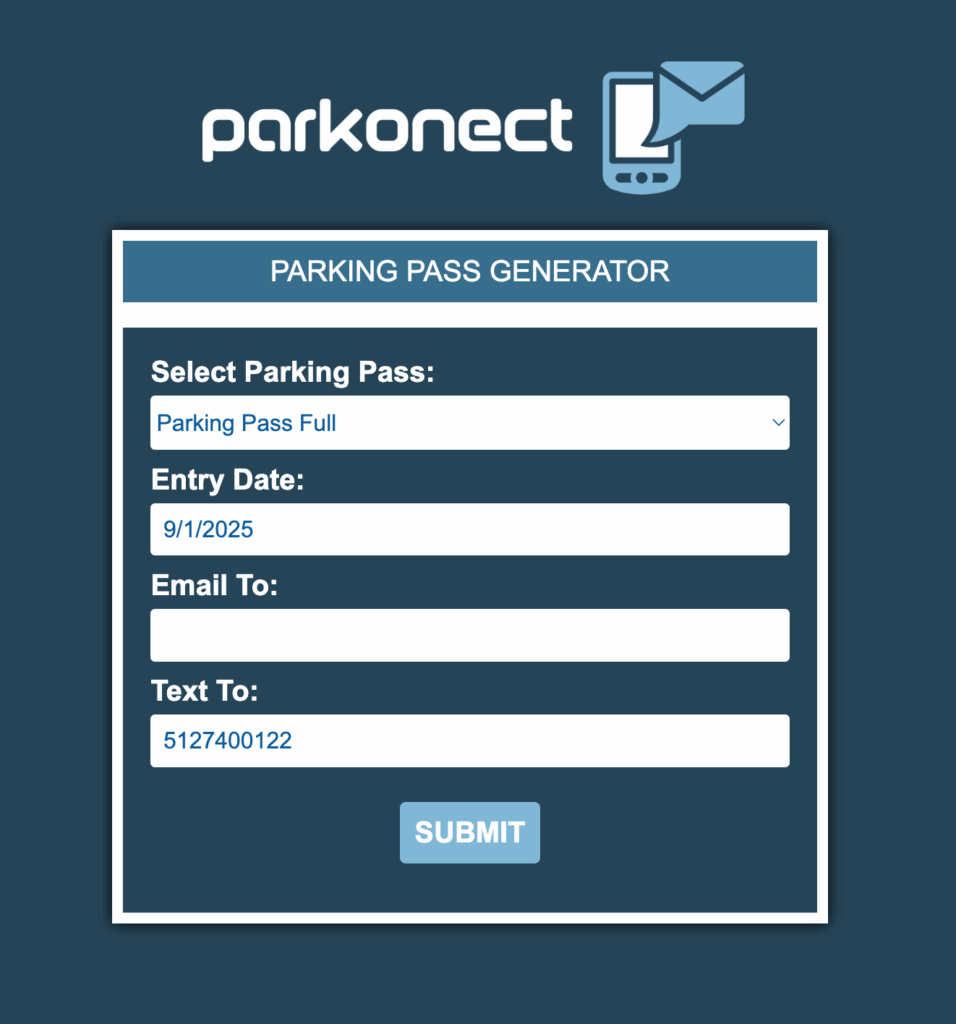
Complete Pass information:
- Choose any validation from the drop-down menu
- Set Entry Date
- Enter either email or mobile number
- Select Submit
Step 4
Confirm to generate.

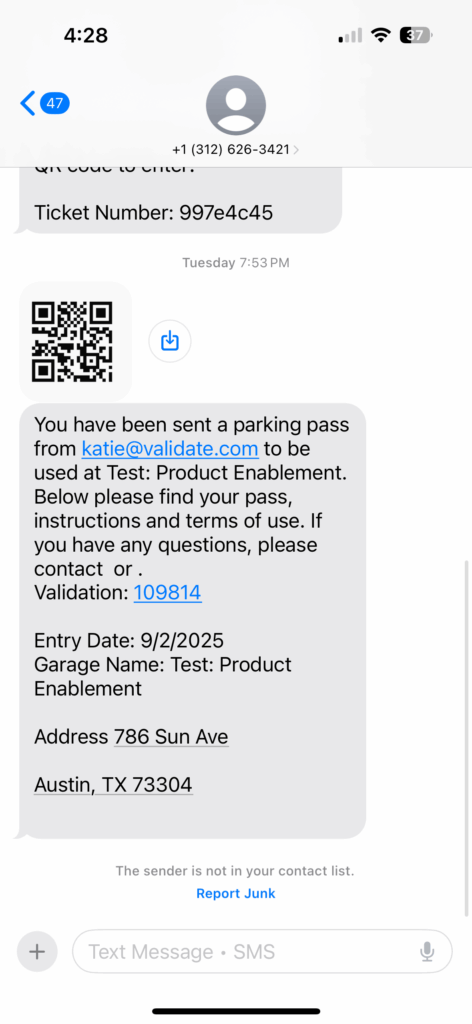
SMS Parking Pass Example #
Reporting #
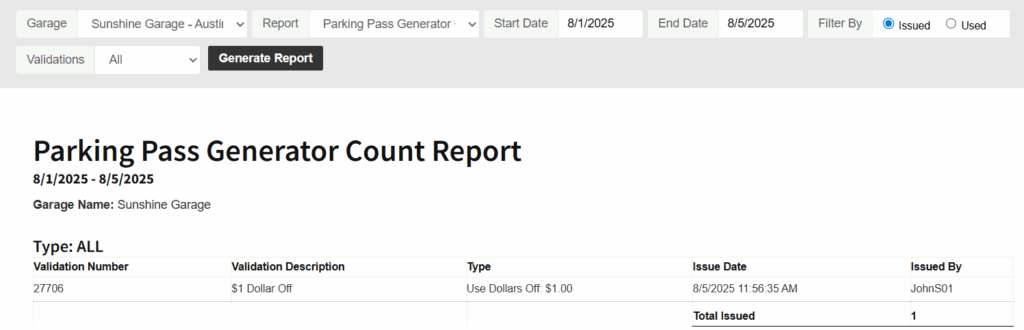
- Parking Pass Count Report: Tracks pass issuance and usage for a specified date range.
- Parking Pass Generator Count Rebill Report – Overage: Reconciliation report of all overage revenues to be rebilled to validation tenants.